Our support team is available 24 hours a day, 7 days a week to help you with anything you need. Whether you are a new customer looking for information or an existing subscriber who needs technical assistance, we are here to make sure your experience with Provider IPTV is seamless.
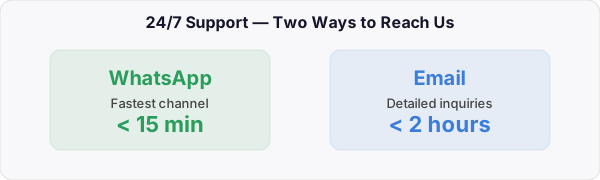
How to Reach Us
WhatsApp (Fastest)
Our primary support channel. Most inquiries are answered in under 15 minutes.
What We Can Help With
- Device setup and installation — step-by-step guidance for Firestick, Android, Smart TV, iPhone, PC, and more
- Troubleshooting — buffering, channel loading, EPG issues, audio sync, and any playback problems
- Billing and payments — invoice requests, payment confirmations, plan upgrades, and refunds
- Account management — password resets, credential recovery, and subscription renewals
- Custom plans — multi-device packages, reseller inquiries, and bulk subscriptions for businesses
- Free trial requests — get a 24-hour trial to test the service before subscribing
No question is too small. We are committed to making sure every customer gets the help they need, as quickly as possible.
Before You Contact Us
Many common questions can be resolved in seconds. Check below before reaching out:
My channels are buffering or freezing
1. Restart your router and streaming device
2. Switch from Wi-Fi to an Ethernet cable
3. Lower the stream quality in your app settings (try 720p instead of 1080p)
4. Close other apps or devices using your bandwidth
5. Try a VPN if your ISP is throttling streaming traffic
If buffering continues after all five steps, contact us and we will check your account on our end.
I did not receive my credentials after payment
1. Check your spam or junk folder
2. Search your inbox for “Provider IPTV” or “provideriptv”
3. Make sure you entered the correct email address during checkout
If you still cannot find it, message us on WhatsApp with your order confirmation and we will resend your credentials immediately.
How do I renew my subscription?
Can I upgrade or change my plan?
I forgot my IPTV username or password
Ready to start watching?
Plans start at just $19 per month with instant activation and 24/7 support.